

How the UV-LED ink system works in artisJet printers
The artisJet ink system refers to the complete assembly installed in the direct-to-substrate printing machines. It is a complex yet very easy-to-follow system. It has multiple parts, each with a specific function: pumping, transmitting, filtering, firing/ejecting and cleaning the ink, as well as storing waste ink.
1. Ink tanks (ink bottles)
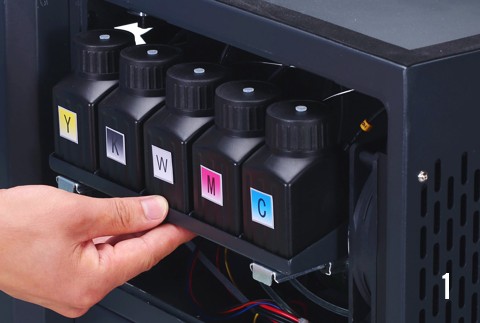
artisJet uses small open ink bottles of 200 ml capacity per ink colour for the continuous ink supply system (CISS). They are easy to refill at low cost and their portable format prevents the settling of ink sediments.
Operation tip: use inks within 45 days. Replace or clean ink bottles every 3–5 months.
2. Ink pump (service station)
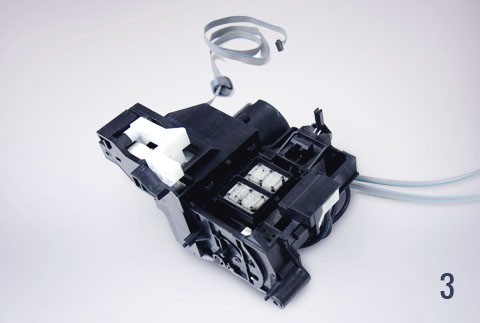
The pump draws ink from the tanks and directs it into the complete ink system via a motorised pump with a spongy top cap connected to the printhead. When the printer is on standby or off, the cap unit prevents the ink from thickening.
Operation tip: clean the cap regularly via automatic cleaning and replace it every 3 months.
3. Ink transmission (ink tubes)
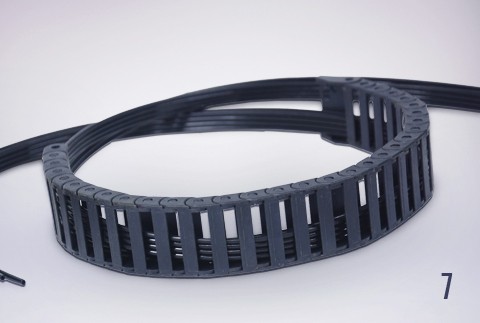
Dark plastic tubes of 3×2 mm and standard length 1.5 m protected by the tube tank. One end of the tubes is connected to the ink tanks and the other to the damper. Each tube has a numerical code from 1 to 8 (for an 8-channel ink printer CMYK+WWWW).
4. Ink filtration (dampers)
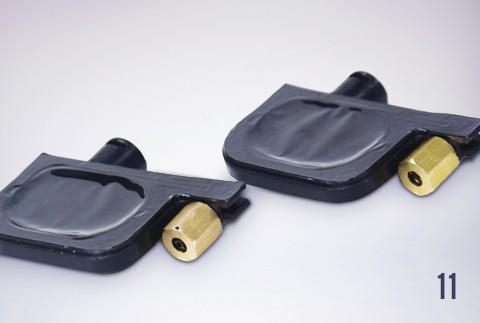
Dampers are plastic parts with an aluminium foil filter mat inside that connect the ink tube to the printhead and filter the ink before the final ejection step. There is one damper per colour.
5. Ink ejection, wiper and waste tank
- Ink ejection — the printhead fires the inks onto the substrate based on the motherboard instructions.
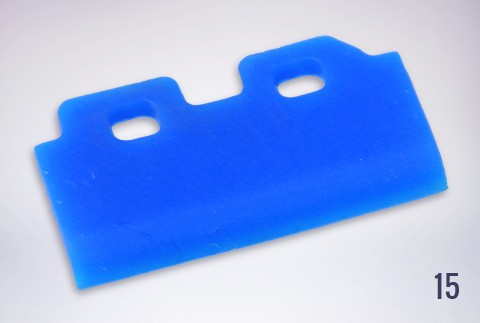
- Ink wiper — silicone rubber that cleans residual ink during the printing process on the mirror side of the printhead.
- Waste ink tank — during pumping and printing, waste ink is stored in a separate bottle.
6. Ink system maintenance modules
- Automatic maintenance module — system that activates ink system maintenance on demand when the user is not present.
- Manual cleaning — alternative when more specific or thorough maintenance is needed.
Need help with the ink system of your artisJet printer?
📞 +31 308 080 273 · 📧 info@artisjet-printers.eu