

95% of users never use this setting — Halftone Dither in artisJet Workstation
If you are an advanced user or setting up your artisJet printer for the first time, you have probably seen the option called “Halftone Dither” in artisJet Workstation. If this technical term left you puzzled, you are not alone — that is actually the usual reaction.

What does Halftone Dithering do?
It determines the amount of “feathering” or “partial overlap” that each printed ink pass shares with the previous and next one. In simple terms, it acts as a valve that controls whether the transition between different parts of the print is sharp or soft.
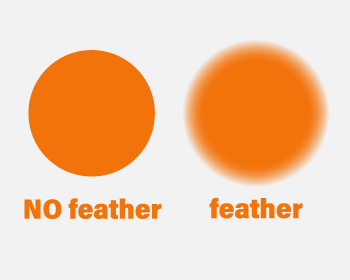
Halftone Dither
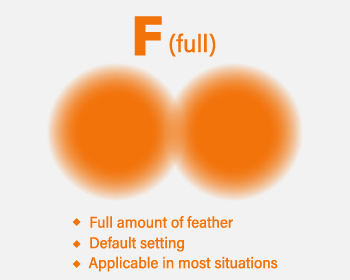
F (full) — default setting, ideal for most jobs
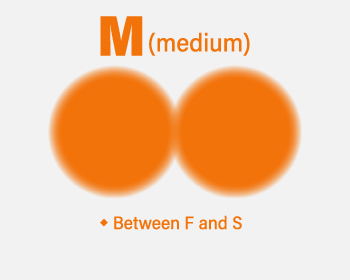
M (medium) — balance between smoothness and sharpness
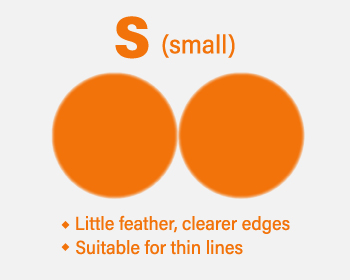
S (small) — ideal for fine lines, small text and gauge dials
When to use each setting?
- F (full) — default. Handles most printing requirements satisfactorily. For general use with photo-realistic quality and no banding.
- S (small) — better for patterns with thin fine lines such as small text or gauge dials. By minimising ink feathering, line edges become sharper. The distinction is more pronounced the finer the lines are.
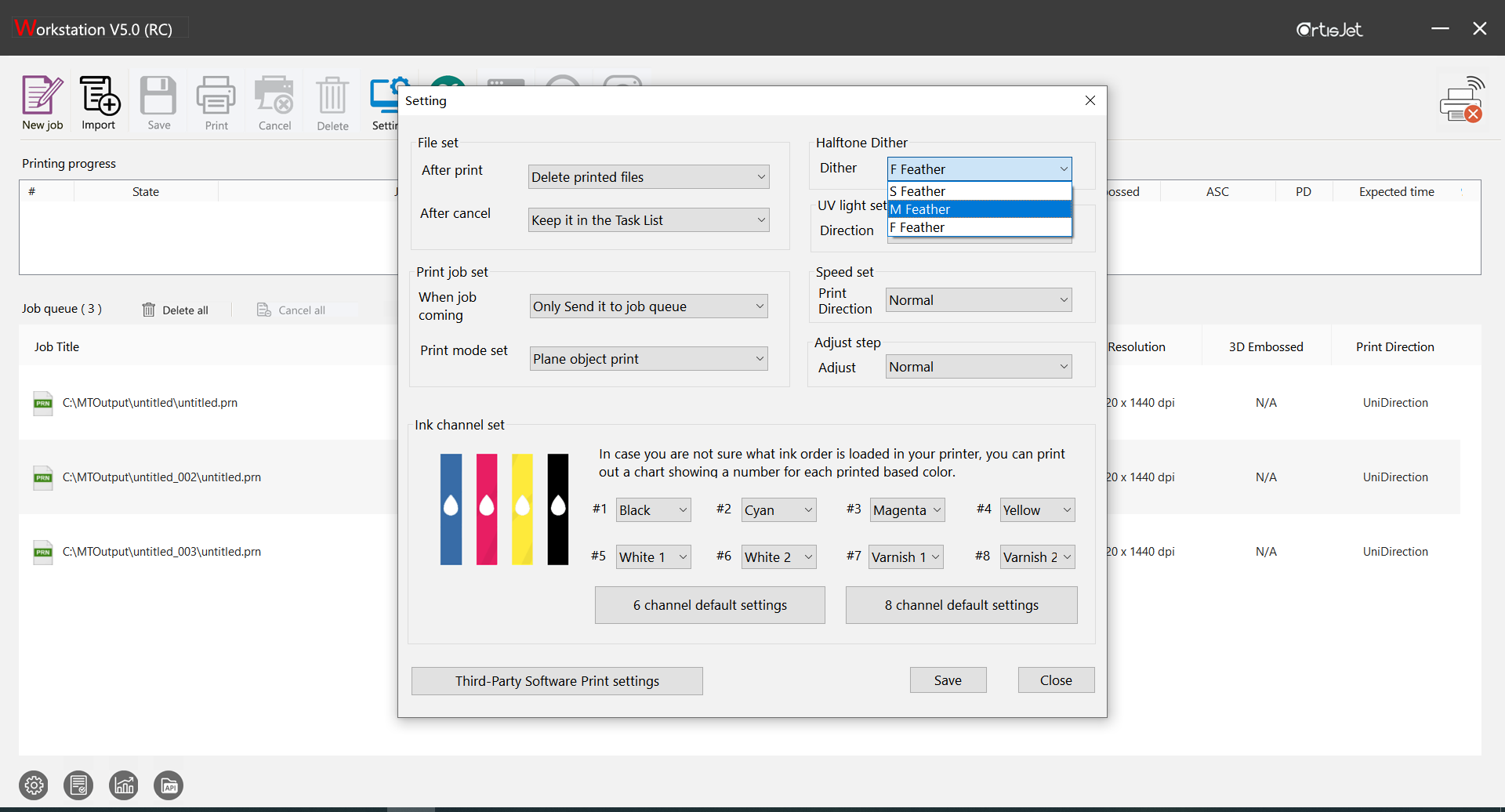
Note: the S effect can sometimes be perceived not only as sharper but also lighter in colour density. Experiment with different settings to see which combination works best for your project.
Questions about artisJet Workstation or your printer configuration? Contact our team in Europe.
📞 +31 308 080 273 · 📧 info@artisjet-printers.eu